
Best Free Multiplayer Browser Games for Small Groups (No Download Required)
Compare 10 free multiplayer browser games for 2-8 players by time, difficulty, group type, and setup. No download required.

The best multiplayer browser games for small groups are easy to join, understandable within a minute, and fun before anyone has to install an app. For two players, start with Tic Tac Toe or Four in a Row. For three to five, try Bingo or I Know. For larger small groups, Codenames, skribbl.io, and Gartic Phone create more conversation. The right choice depends less on the size of the game catalog and more on your player count, available time, and preferred level of competition.
Quick answer: what are the best multiplayer browser games?
- Best for 2 players: Four in a Row for strategy, or Tic Tac Toe for the fastest rounds.
- Best for 3-5 players: I Know for trivia fans, or Bingo for relaxed social play.
- Best for 5-8 players: Codenames for teamwork, skribbl.io for drawing, or Gartic Phone for laughter.
- Best cooperative choice: JigsawPuzzles.io for a shared, low-pressure activity.
- Best broad board-game library: Board Game Arena, when your group accepts accounts and a little more setup.
What makes a no-download multiplayer game worth your time?
A browser label alone is not enough. People often leave before the first round when a game hides its player limit, demands several accounts, explains controls poorly, or performs badly on one person's phone. A good small-group game has a clear join path, readable controls on desktop and mobile, a sensible first-round length, and rules that match the group's experience.
This list is deliberately short. Every recommendation runs in a modern browser and supports online play, but the setup is not identical. Games I Know uses shareable room codes without sign-up for its public multiplayer titles. Some outside services use private links, while Board Game Arena requires accounts and some premium restrictions apply. JigsawPuzzles.io lets people join through an invite, but creating a private game requires signing in. Those details matter when eight people are waiting in a call.
Multiplayer browser games comparison
| Game | Players | Time | Difficulty | Competitive | Best For |
|---|---|---|---|---|---|
| Bingo | 2-5 | 5-10 min | Easy | Medium | Families and relaxed groups |
| Four in a Row | 2 | 3-8 min | Easy-medium | High | Strategic duels |
| I Know | 2-5 | 5-8 min | Medium | High | Trivia fans and classes |
| Tic Tac Toe | 2 | 1-3 min | Easy | High | Fast challenges |
| Codenames | 4-8 | 15-25 min | Medium | Medium | Teams and voice chat |
| skribbl.io | 3-8 | 15-30 min | Easy | Medium | Drawing and guessing |
| Gartic Phone | 4-8 | 20-40 min | Easy | Low | Creative party play |
| PlayingCards.io | 2-8 | 10-45 min | Varies | Varies | Familiar card and board games |
| Board Game Arena | 2-8 | 15-60 min | Varies | Medium-high | Hobby board-game groups |
| JigsawPuzzles.io | 2-8 | 15-45+ min | Easy | Low | Cooperative puzzle time |
Top 10 Multiplayer Browser Games
1. Bingo - best for relaxed social play
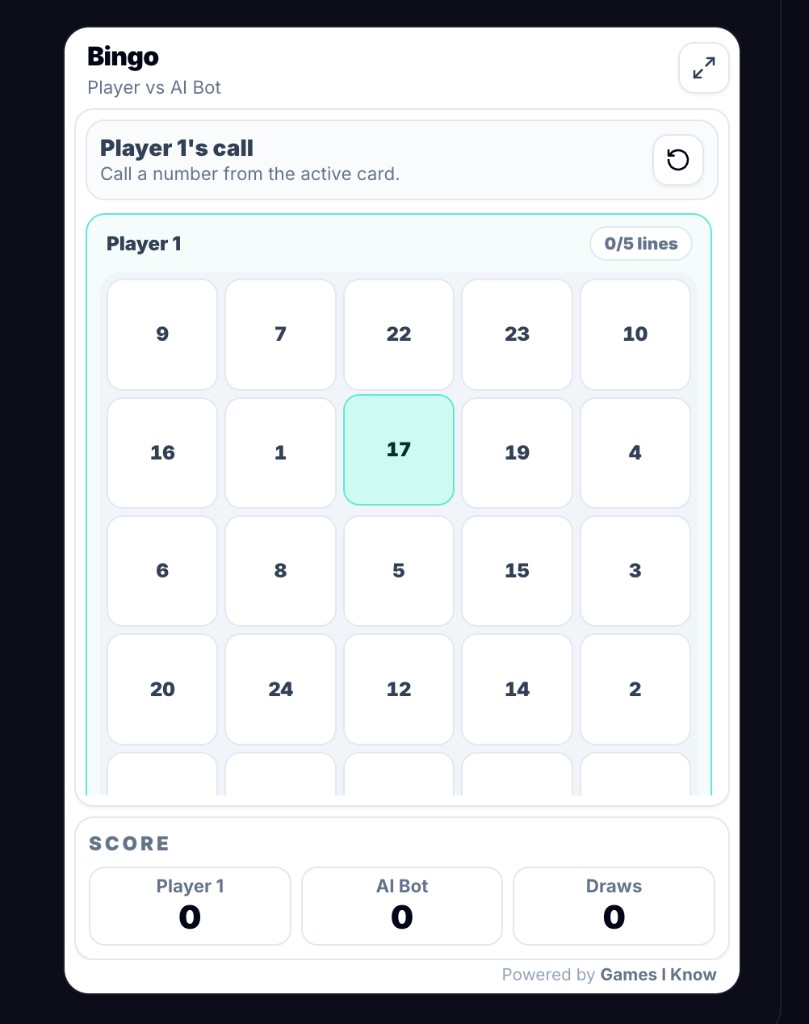
Choose Bingo when two to five people want something familiar, low-pressure, and easy to follow while talking. In Games I Know Bingo, one player creates a room and shares its code or invite link. Each player uses a 5x5 card, numbers are called in the room, and the first player to complete five lines wins. The large controls work on touch screens, so families with mixed phones, tablets, and laptops can play together. Voice chat is optional, but it makes the reveal of each new line more social. Replay value comes from fresh cards and the unpredictable call order, not a deep skill ladder.
2. Four in a Row - best for a strategic two-player match
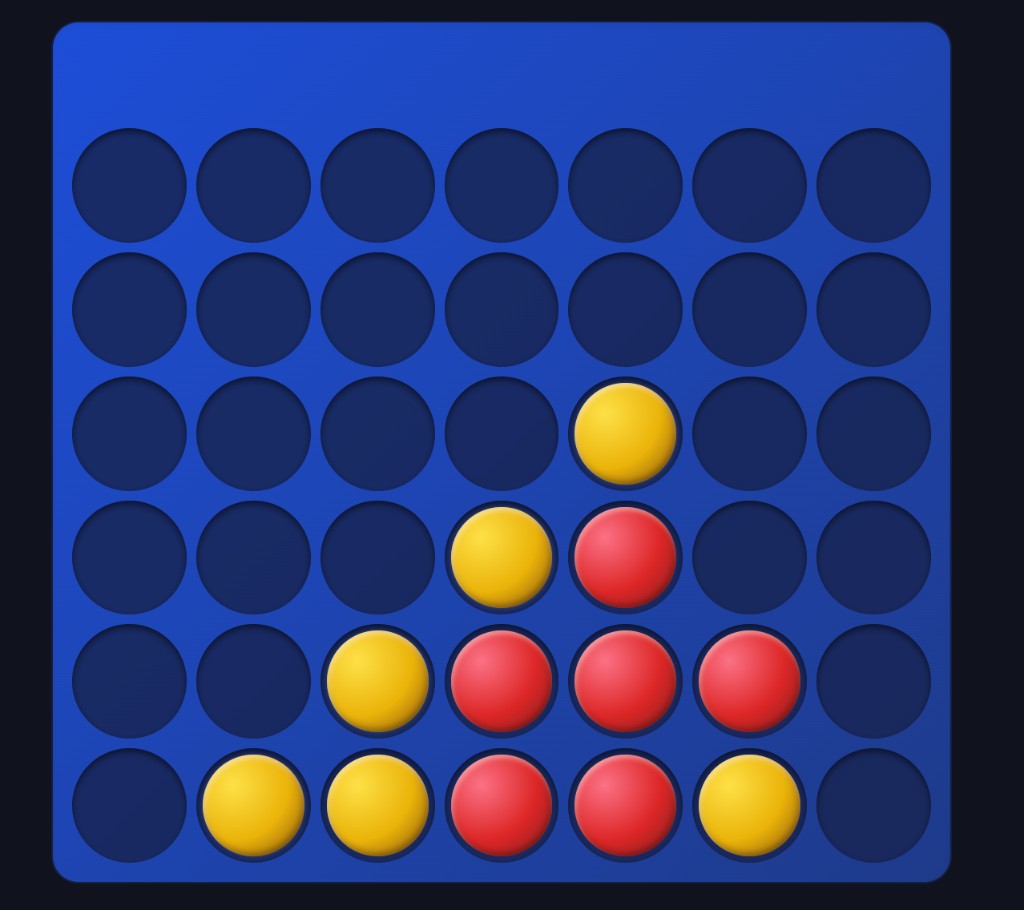
Four in a Row is the better two-player pick when Tic Tac Toe feels too brief. Players take turns dropping discs into a seven-column, six-row board and try to connect four horizontally, vertically, or diagonally. Games I Know supports a friend room or bot practice, with column controls that also work well on a phone. A normal match is short enough for a break but has room for planning, traps, and rematches. It is highly competitive, needs no teamwork, and works fine without voice chat. New players can use the bot before inviting a friend.
3. I Know - best for quiz lovers
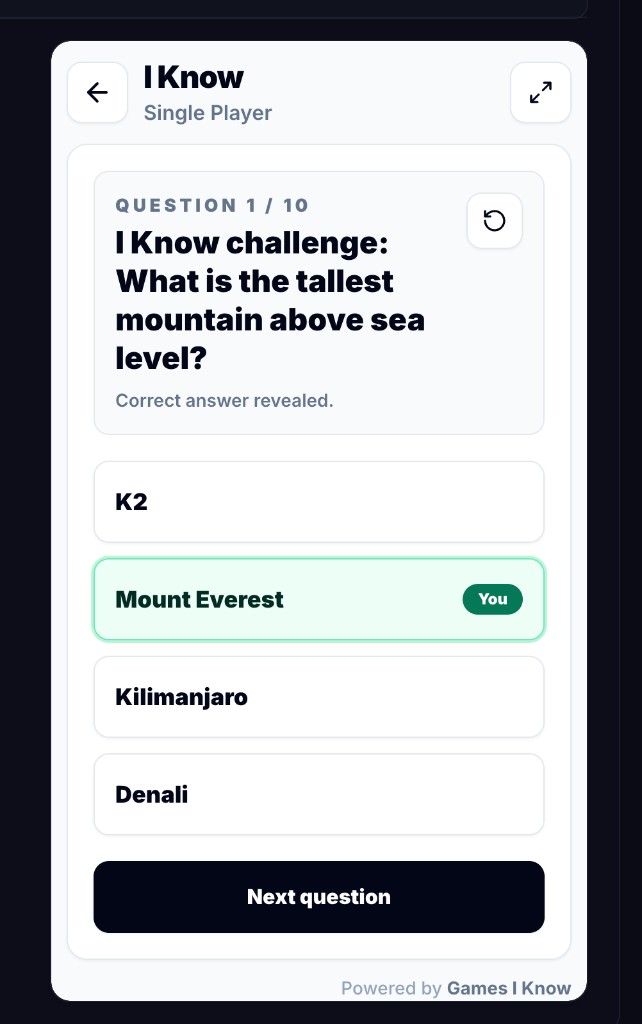
Pick I Know when your group enjoys knowledge more than fast reflexes. A host creates a room, selects a category, and starts a ten-question round for up to five players. Everyone answers the same timed questions, with 20 seconds per question and a live scoreboard between rounds. That structure suits friends, remote teams, and teachers who want a complete activity with a clear ending. It is competitive but accessible because answers use simple browser controls. A voice call is useful for reactions between questions, though players should avoid saying an answer before the timer ends.
4. Tic Tac Toe - best for a one-minute challenge
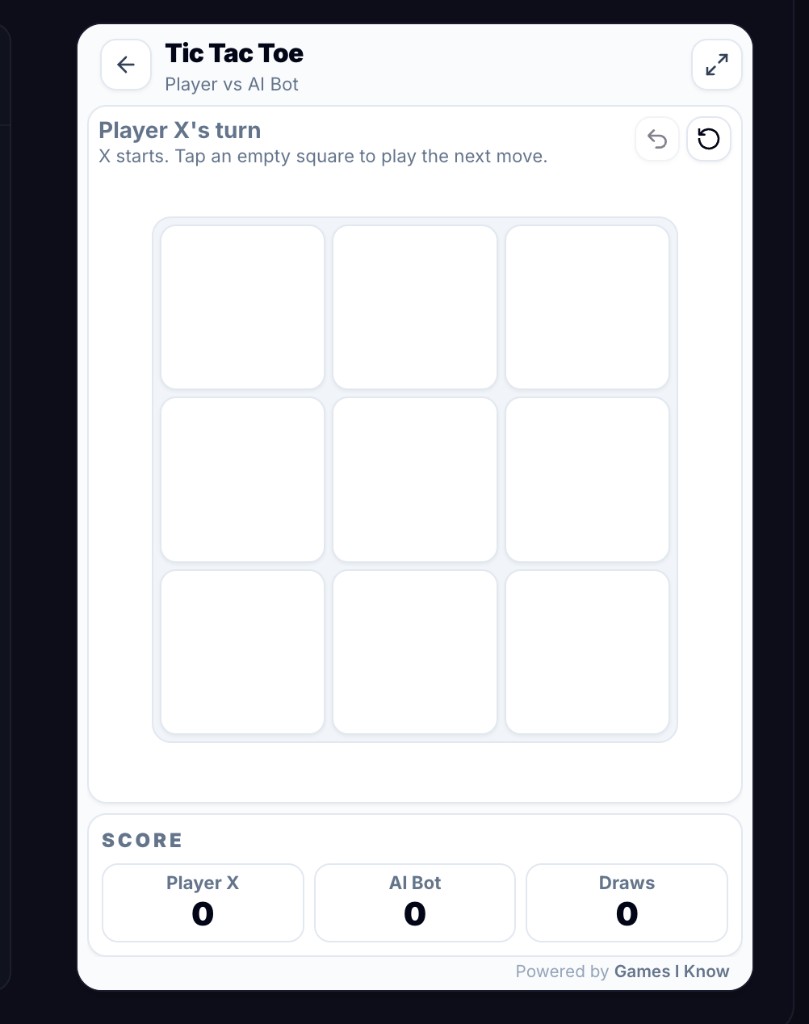
Tic Tac Toe is the lowest-friction choice for exactly two people. Create a Games I Know room, share the code, and take turns placing marks on the 3x3 grid until someone completes three in a row or the board ends in a draw. It works on small screens, requires almost no explanation, and encourages quick rematches. The skill ceiling is lower than Four in a Row, but that is an advantage for date nights, classroom demonstrations, and tiny gaps between other activities. Voice chat adds banter, not coordination.
5. Codenames Online - best for team wordplay
Codenames is strongest with four to eight players split into two teams. Spymasters give one-word clues that connect several words on the grid, while teammates discuss which cards to choose. The browser version uses a shared room URL and includes settings plus optional audio or video chat. Choose it when everyone can stay for roughly twenty minutes and enjoys careful discussion. It has high replay value and meaningful teamwork, but it is a poor fit for a silent five-minute break or players who dislike word association.
6. skribbl.io - best for quick drawing and guessing
skribbl.io turns simple drawing prompts into a lively guessing game. One person draws while the others type answers, then the role rotates. Private rooms support larger groups than this guide needs, but three to eight keeps waiting time manageable and gives everyone enough guesses. It works on mobile as well as desktop, although drawing is usually easier with a mouse or stylus. Pick it for mixed-skill groups that can laugh at imperfect art. Voice chat is fun, but drawers should not reveal the word aloud.
7. Gartic Phone - best for a creative party
Gartic Phone mixes writing, drawing, and interpretation. Players write prompts, draw what they receive, describe somebody else's picture, and then reveal the increasingly strange chain. Four to eight players produces enough transformations without making the session too long. The official game specifically recommends using a voice call, and the final reveal is where most of the fun happens. Choose it for parties and remote socials, not for a serious contest or a tightly timed lesson. The experience is more collaborative comedy than skill test.
8. PlayingCards.io - best for familiar tabletop rules
PlayingCards.io provides synchronized virtual tables for cards, boards, and custom rooms. Players join with a room code and move pieces together in the browser. The platform is free and recommends no more than eight people in a room, but it does not enforce the rules for you. That makes it excellent when your group already knows the game and wants a shared table, and frustrating when nobody wants to teach. Session length and competitiveness depend entirely on the chosen table. Keep a voice call open because players need to manage turns and rules themselves.
9. Board Game Arena - best for a deep game library
Board Game Arena offers a huge catalog of licensed tabletop games in a browser, with real-time and turn-based play across computers, tablets, phones, and consoles. It deserves a place here because committed board-game groups can find far more depth than a single casual title provides. The tradeoff is friction: players need accounts, rules vary by game, and premium limits can affect which tables a free member can create. Choose it for a planned game night, not when a casual group wants to click one link and begin immediately.
10. JigsawPuzzles.io - best for cooperative puzzle time
JigsawPuzzles.io lets several people assemble the same jigsaw in real time. It is the least competitive recommendation here and a good fit for families, quiet coworker socials, or friends who want conversation without a scoreboard. Joining can be done through an invitation, while creating a private game requires an account. Difficulty depends on the picture and piece count, so start smaller than you think for a short session. Voice chat works naturally because nobody can accidentally reveal a secret answer.
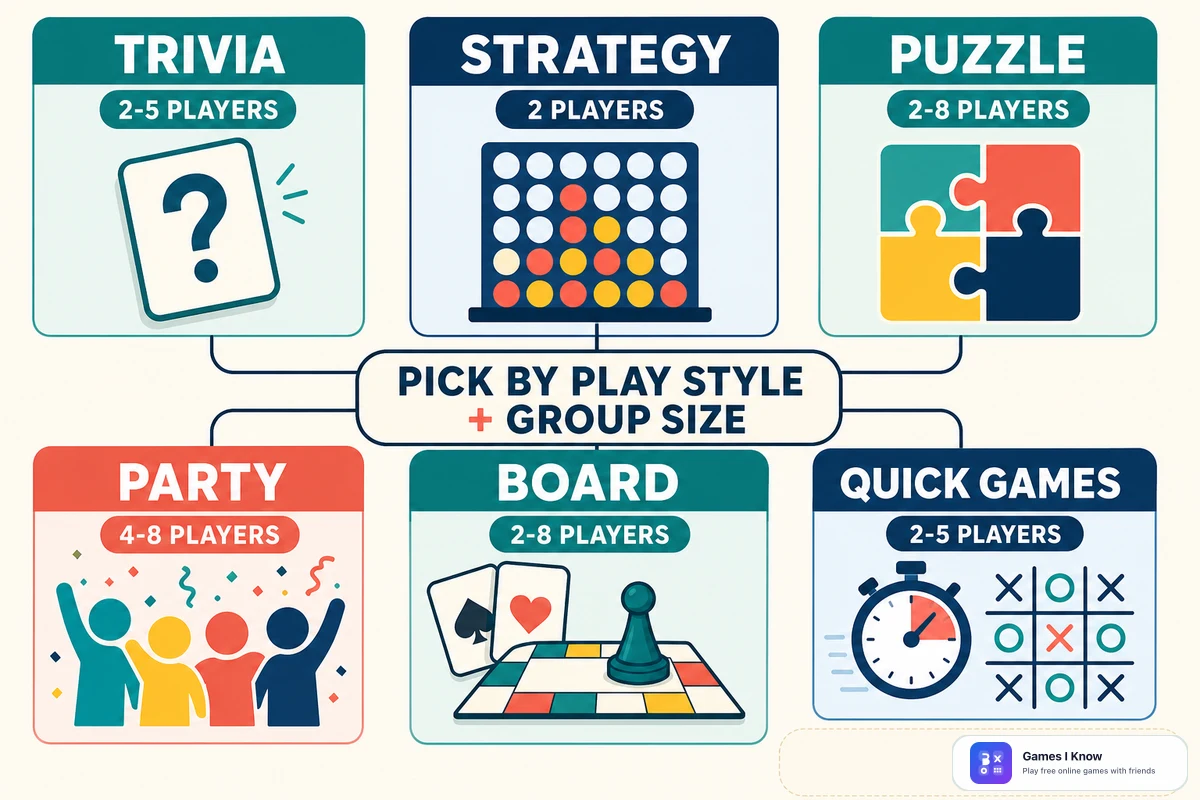
Best multiplayer browser games by group size
Best for 2 players
Choose Tic Tac Toe for the shortest possible challenge, Four in a Row for more tactical depth, or a two-player title on Board Game Arena for a planned session. A pair should usually avoid party games designed around audience reactions; too many turns or team roles feel empty with only two people.
Best for 3-4 players
I Know is the strongest competitive choice because everyone answers every question. Bingo is more relaxed, while skribbl.io works when the group wants creativity. Codenames can work with four, but it becomes more interesting when each team has enough people to discuss clues.
Best for 5-8 players
With five people, Bingo and I Know still fit a single Games I Know room. At six to eight, move to Codenames for teamwork, Gartic Phone for a party, skribbl.io for fast creative competition, or a cooperative jigsaw for quieter conversation. Larger groups benefit from games where people can think or talk during someone else's turn.
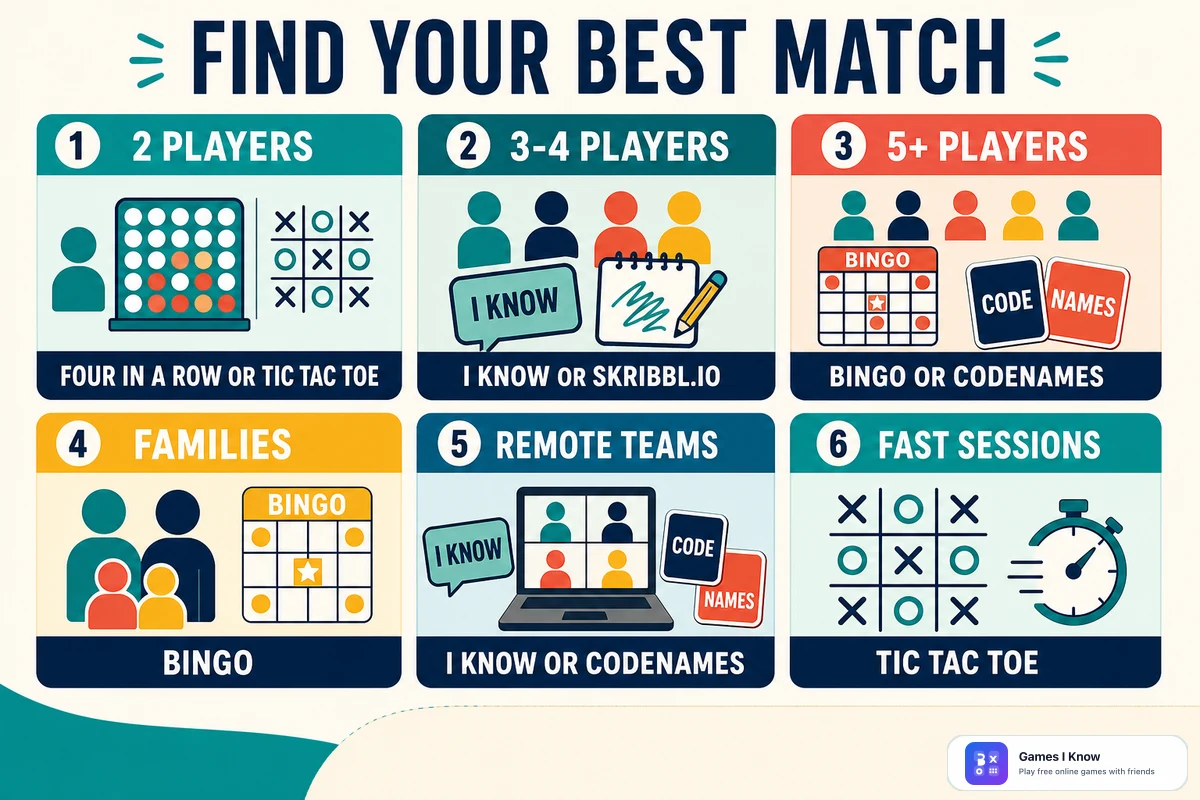
Best game by occasion
| Occasion | Best pick | Why choose it |
|---|---|---|
| Lunch break | I Know | A complete ten-question round with a clear finish |
| Family night | Bingo | Familiar rules, mixed-device support, and a relaxed pace |
| Classroom | I Know | Shared timed questions and a live scoreboard |
| Team building | Codenames | Real discussion and shared clue solving |
| Date night | Four in a Row | Short strategic duels with easy rematches |
| Casual gaming | skribbl.io | Simple prompts and funny results across skill levels |
Best multiplayer browser games for families
Bingo is the safest family recommendation because the objective is familiar, the pace leaves room for conversation, and up to five players can use their own devices. For a pair, Four in a Row adds strategy without complex controls. A cooperative jigsaw is useful when competition causes arguments or when several generations want to talk while playing. Always choose an age-appropriate trivia category or prompt set, and let the least comfortable player test the controls before starting the scored round.
Best multiplayer browser games for coworkers
I Know fits a short remote social because the host controls the start and ten questions provide a natural stopping point. Codenames is better for a longer team-building block because teammates must interpret clues together. Gartic Phone works for an informal group that already feels comfortable being silly. Avoid asking coworkers to install software or expose personal gaming accounts; a browser room link or code keeps participation simple and optional.
Best multiplayer browser games for students
For classroom use, pick a format with visible timing and a clear end. I Know offers ten timed questions and a scoreboard for up to five players, while Bingo works for a small reward activity with mixed ages. Tic Tac Toe and Four in a Row can demonstrate turn-taking and basic planning in pairs. Teachers should test school-network access, sound, screen size, and room joining before class, then share the link in one controlled channel. Use nicknames that do not reveal personal information.
Best games for quick 5-minute sessions
Tic Tac Toe is the most reliable five-minute option because a pair can finish several rounds. Four in a Row usually fits one focused match. I Know and Bingo can work in a short break only when everyone joins promptly; allow closer to ten minutes for a comfortable full round. Drawing games, Codenames, and most tabletop titles need more time because setup, discussion, and reveals are part of the experience.
How to choose without slowing the group down
- Count confirmed players, not everyone who might join later.
- Set an honest stop time before choosing a game.
- Ask whether the group wants competition, teamwork, creativity, or conversation.
- Check account requirements and whether the host can share one room link or code.
- Choose controls that suit the smallest screen and least experienced player.
- Run one short round before changing settings or committing to a longer game.
If voice chat is already open, use it for Codenames, Gartic Phone, PlayingCards.io, and cooperative puzzles. For trivia and drawing games, agree not to say answers or prompts aloud. If the group is not on a call, favor games with self-explanatory turns and visible scores, such as Bingo, I Know, Four in a Row, and Tic Tac Toe.
Start a free Games I Know multiplayer room
Games I Know is a strong first stop when you want free multiplayer browser games without downloads or sign-ups. Open a game, create a room, and share the code or invite link. Pick Bingo for a relaxed group, Four in a Row for a strategic pair, I Know for quiz fans, or Tic Tac Toe for the quickest challenge. The four public multiplayer games work in modern browsers on desktop and mobile, so the group can focus on playing instead of installation and account setup.
Related games & embeds
Explore Games I Know pages connected to this guide.
Frequently asked questions
What are the best multiplayer browser games?
For small groups, the best choices include Bingo and I Know for three to five players, Four in a Row and Tic Tac Toe for two, Codenames for teams, skribbl.io and Gartic Phone for parties, and JigsawPuzzles.io for cooperative play.
What browser games can I play with friends for free?
Games I Know offers free Bingo, Four in a Row, I Know, and Tic Tac Toe rooms in the browser. Codenames Online, skribbl.io, Gartic Phone, PlayingCards.io, Board Game Arena, and JigsawPuzzles.io also have free browser play, although account or premium restrictions vary.
Which multiplayer games require no download?
Every game in this guide runs in a modern web browser without an app download. Joining requirements differ: Games I Know uses room codes without sign-up, while services such as Board Game Arena require accounts.
What multiplayer games work for small groups?
For two players, choose Tic Tac Toe or Four in a Row. For three to five, choose Bingo, I Know, or skribbl.io. For five to eight, Codenames, Gartic Phone, PlayingCards.io, and cooperative jigsaws are strong options.
What is the best browser party game for families?
Bingo is a dependable family choice because the rules are familiar, the pace is relaxed, and Games I Know supports up to five players on desktop or mobile browsers. A cooperative jigsaw is a good non-competitive alternative.
What is the best browser game for remote teams?
Choose Codenames for discussion and teamwork, I Know for a short scored quiz, or Gartic Phone for a casual creative social. Match the game to the team's available time and comfort with competition.
Can multiplayer browser games work on phones and computers together?
Many can, but always check the specific game. Games I Know's four public multiplayer titles support modern desktop and mobile browsers. Drawing is generally easier with a mouse or stylus, even when the game also works on a phone.
Do I need voice chat for browser games with friends?
No. Games with visible turns and scores work without voice chat. Voice is especially helpful for Codenames, Gartic Phone, virtual card tables, and cooperative puzzles, where discussion is part of the experience.
Related articles
April 26, 2026·3 min read
Best games to play with friends online
Explore free online games to play with friends directly in your browser, including Bingo, trivia, Tic Tac Toe, and Four in a Row. No login or download needed.
April 18, 2026·3 min read
Quick games to play online when you have 5 minutes
Discover quick browser games you can play online in just a few minutes. No login, no download - just open a game and start playing.
April 30, 2026·3 min read
Free online games with no download or signup
Find free online games with no download or signup. Learn what to look for, what to avoid, and which game formats start fastest.
April 20, 2026·3 min read
Browser games vs mobile games for quick play
Compare browser games vs mobile games for quick play, invites, updates, and short breaks so you can pick the right format faster.
May 1, 2026·4 min read
Fast free browser games for quick group play
Discover fast free browser games you can open in a tab with no download. Great picks for duos, small groups, and quick breaks on phone or desktop.
June 7, 2026·12 min read
Four in a Row strategy: how to win more games
Learn Four in a Row strategy with center control, blocking, diagonal threats, double threats, and simple tips for winning more browser games.
April 24, 2026·3 min read
Tic Tac Toe strategy: how to win more games
Learn simple Tic Tac Toe strategy that helps you win more often: opening moves, fork patterns, defense rules, and common mistakes.
Get in touch
Questions about this topic?
Send support questions, embed requests, partnership ideas, or feedback. Your message is saved securely and forwarded to our support channel for review.