
How to Play Sudoku Online: Rules, Tips, and Difficulty Guide
Learn how to play Sudoku online with simple rules, beginner tips, notes mode, difficulty guidance, and a free browser puzzle you can open on any device.
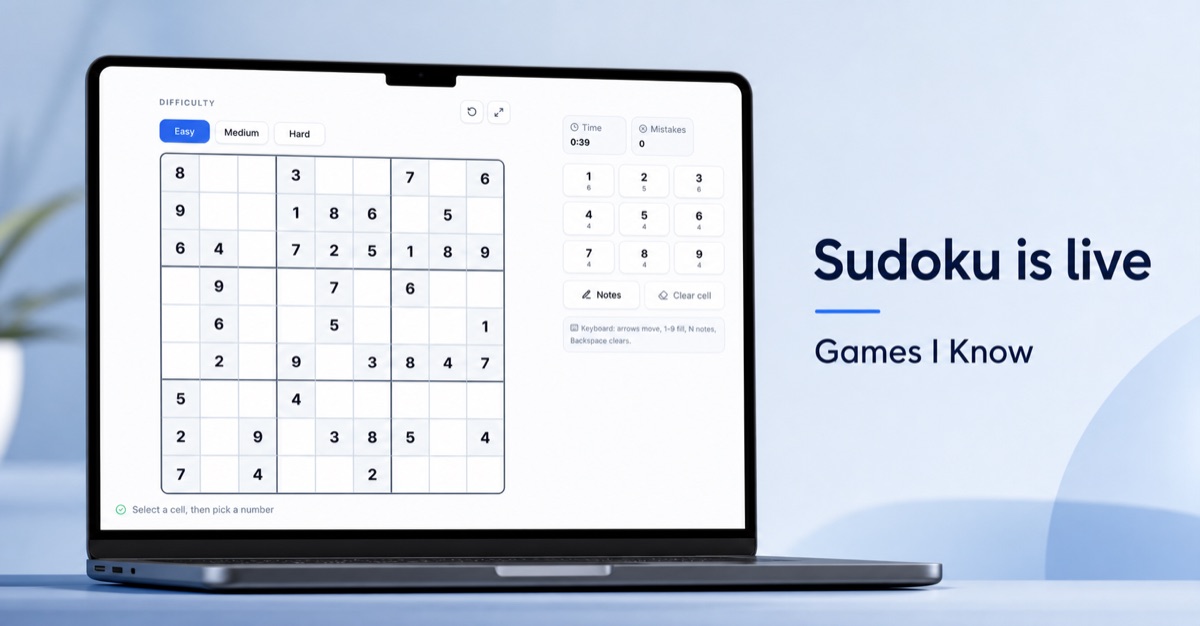
Sudoku is one of the easiest puzzle games to start and one of the most satisfying games to improve at. You do not need fast reflexes, a big screen, or a long setup. You only need a 9x9 grid, a few given numbers, and the patience to notice what the board is telling you.
Games I Know now has a free online Sudoku game built for quick browser play. It runs on desktop and mobile, includes Easy, Medium, and Hard difficulty, supports notes, tracks time and mistakes, and does not require a download or signup.
Quick answer: what is the best way to play Sudoku online?
The best way to play Sudoku online is to use a browser Sudoku game that starts instantly, gives you clear difficulty choices, supports notes for candidates, works well on a phone, and keeps the board easy to read. Games I Know Sudoku is built for that exact flow: open the page, pick Easy, Medium, or Hard, select a cell, and fill the grid without installing anything.
Play Sudoku online free on Games I Know
The Games I Know Sudoku game is designed for calm, focused puzzle play. The board sits on the left with large readable numbers. The controls sit beside it on wider screens and adapt for smaller screens. You can use the on-screen number pad, turn on Notes, clear a cell, and track your time and mistakes as you solve.
- Free Sudoku puzzle in the browser
- No app download and no account required
- Easy, Medium, and Hard difficulty options
- Notes mode for candidate numbers
- Timer and mistakes counter
- Keyboard support for desktop play
- Touch-friendly controls for phones and tablets
How to play Sudoku
Sudoku is played on a 9x9 grid split into nine 3x3 boxes. The goal is to fill every empty cell with a number from 1 to 9. Each row, each column, and each 3x3 box must contain every number from 1 to 9 exactly once.
- Choose a difficulty level.
- Look at the given numbers already placed on the board.
- Select an empty cell.
- Find which numbers are allowed by checking the row, column, and 3x3 box.
- Use Notes if more than one number is possible.
- Fill confirmed numbers first, then use those new numbers to solve the next cells.
- Complete the board without repeating a number in any row, column, or box.
Sudoku rules in one table
| Area | Rule | What to check |
|---|---|---|
| Row | Numbers 1 to 9 can appear once | Scan left to right before placing a number |
| Column | Numbers 1 to 9 can appear once | Scan top to bottom before placing a number |
| 3x3 box | Numbers 1 to 9 can appear once | Check the smaller box around the selected cell |
| Full board | Every empty cell must be solved | Use confirmed numbers to reduce candidates |
Why play Sudoku in the browser instead of an app?
A browser Sudoku game is best when you want a fast puzzle break without installing another app. It is easy to open from a link, easy to share, and simple to play on a work laptop, tablet, or phone. That makes it useful for lunch breaks, quiet evenings, classroom warmups, waiting rooms, and anyone who just wants a clean puzzle without account friction.
| Need | Browser Sudoku | Sudoku app |
|---|---|---|
| Start quickly | Open a link and play | Install first, then open |
| Try on any device | Works on desktop and mobile browsers | Depends on app store and device |
| Share with someone | Send the URL | Ask them to install the app |
| Long-term app habits | Good for quick sessions | Good if you want a dedicated app |
Which Sudoku difficulty should you choose?
Choose Easy when you want a quick, relaxed puzzle or you are still learning the rules. Choose Medium when you know the basics and want a board that asks for more scanning. Choose Hard when you are comfortable using notes, spotting pairs, and solving through several steps instead of obvious singles.
| Difficulty | Best for | Solving style |
|---|---|---|
| Easy | Beginners and short breaks | Look for obvious missing numbers and simple singles |
| Medium | Regular puzzle players | Use notes, row-column scans, and box interactions |
| Hard | Focused sessions | Track candidates carefully and avoid guessing |
Beginner Sudoku tips that actually help
Start with the most filled rows, columns, and boxes
A nearly full row or box has fewer missing numbers, which makes it easier to find a forced move. If a box already has six or seven numbers, check the empty spaces there first.
Use notes for possibilities, not guesses
Notes are strongest when they record real candidates. Before adding a note, check the row, column, and box. If a number already appears in any of those areas, it should not be a candidate for that cell.
Look for hidden singles
A hidden single happens when a number has only one possible place inside a row, column, or box, even if the cell has several candidates. This is one of the most useful beginner-friendly techniques because it feels like a small reveal rather than a guess.
Do not guess when the board slows down
Guessing can make a Sudoku puzzle messy fast. If you feel stuck, switch areas. Scan a different box, update notes after every confirmed number, and look for a cell with only one candidate left.
A simple solving routine
- Scan every row for missing numbers.
- Scan every column for missing numbers.
- Scan every 3x3 box for missing numbers.
- Fill any obvious singles.
- Turn on Notes and add candidates for cells that are not obvious.
- After each confirmed number, remove that number from notes in the same row, column, and box.
- Repeat until the board opens up.
Is Sudoku good for a quick brain break?
Sudoku works well as a brain break because the rules are stable and the feedback loop is clear. You are not learning new controls every round. You are noticing patterns, narrowing options, and making small decisions. Even a short session can feel satisfying because every solved cell gives the next part of the board more information.
Can you play Sudoku on mobile?
Yes. Games I Know Sudoku is designed to be playable on mobile browsers. The important details are large enough cells, clear number buttons, notes mode, and a layout that keeps the board readable. On phones, the best experience comes from selecting a cell first and then choosing a number from the on-screen pad.
Sudoku for websites, blogs, and classrooms
Sudoku also works as embedded interactive content. A website owner can add a calm puzzle to a blog post, school activity page, community site, waiting-room page, or internal portal. The game gives visitors something useful to do without sending them to an app store.
Why this Sudoku article targets SEO, AEO, and GEO
Search engines and answer engines need clear answers, trustworthy page structure, and original detail. This article is organized around the real questions a player asks before starting: where to play, how the rules work, which difficulty to choose, how notes work, whether the game works on mobile, and how to embed it on a website. That gives traditional search, AI summaries, and answer-style results more complete context while still helping a real person solve the problem.
Start a Sudoku puzzle now
If you want a calm puzzle that starts quickly, open Sudoku on Games I Know and choose your difficulty. Start with Easy if you want a short win, move to Medium when you want more scanning, and use Hard when you want a slower solve with notes.
Related games & embeds
Explore Games I Know pages connected to this guide.
Frequently asked questions
Can I play Sudoku online for free?
Yes. Games I Know lets you play Sudoku online for free in your browser. You can open the Sudoku play page, choose a difficulty, and start solving without downloading an app.
Do I need to download anything to play Sudoku?
No. Games I Know Sudoku runs in the browser, so there is no app download required. It works on desktop, tablet, and mobile browsers.
What are the basic Sudoku rules?
Fill the 9x9 grid with numbers from 1 to 9. Each row, column, and 3x3 box must contain each number exactly once.
What Sudoku difficulty should beginners choose?
Beginners should start with Easy Sudoku. It has more obvious placements, helps you learn scanning, and is better for short practice sessions.
What does Notes mode do in Sudoku?
Notes mode lets you mark possible candidate numbers in a cell before choosing a final answer. It is useful when more than one number could fit.
Can I play Sudoku on my phone?
Yes. Games I Know Sudoku is touch-friendly and works in mobile browsers. Select a cell, pick a number, and use notes when you need to track candidates.
Is Sudoku a good brain game?
Sudoku is a good logic puzzle for focus and pattern recognition. It asks you to scan, compare, eliminate possibilities, and make careful decisions without relying on speed.
Can I add Sudoku to my own website?
Yes. Games I Know offers Sudoku as an embeddable browser game, so website owners can add a Sudoku puzzle to blogs, school pages, community sites, and other pages.
Related articles
April 18, 2026·3 min read
Quick games to play online when you have 5 minutes
Discover quick browser games you can play online in just a few minutes. No login, no download - just open a game and start playing.
April 30, 2026·3 min read
Free online games with no download or signup
Find free online games with no download or signup. Learn what to look for, what to avoid, and which game formats start fastest.
April 28, 2026·3 min read
Games to play when bored on phone or laptop
Need something fun right now? Here are the best games to play when bored, with fast picks for solo breaks, duos, and small groups.
May 1, 2026·4 min read
Fast free browser games for quick group play
Discover fast free browser games you can open in a tab with no download. Great picks for duos, small groups, and quick breaks on phone or desktop.
Get in touch
Questions about this topic?
Send support questions, embed requests, partnership ideas, or feedback. Your message is saved securely and forwarded to our support channel for review.