
Good for short breaks
Use quick rounds between activities, on club pages, or during live event waiting periods.
Games for schools
School websites, clubs, and classroom resource pages can use quick browser games as icebreakers, review breaks, or waiting-room activities. Games I Know provides iframe embeds that run in the browser with no student app download.
No app download
Quick rounds
Domain-restricted
Mobile-friendly
Short answer
Games for schools work best as short, browser-based embeds on club pages, resource hubs, or event pages. Games I Know supports trivia, strategy, and party-style games through a simple iframe with optional start and completion events.
Trivia and quick strategy games work well as short interactive breaks on education pages.
schools, teachers, clubs, and education site owners
A lightweight iframe game can support engagement on school sites without installing software on student devices.
Use quick rounds between activities, on club pages, or during live event waiting periods.
I Know works well when you want a quiz-style interactive moment tied to a topic or school spirit.
Domain-restricted embeds help ensure the iframe only runs on approved school web properties.
Setup flow
Pick a game that matches the audience, place it on an approved school domain, and add clear context for students and parents.
Step 1
Add the official school website domain in your Games I Know partner account before generating iframe code.
Step 2
Use I Know for trivia-style pages, Tic Tac Toe or Four in a Row for quick strategy, or Bingo for group fun.
Step 3
Place the iframe on a club page, event page, or resource hub with a short explanation above it.
Step 4
Confirm the placement aligns with your school web and student engagement policies before going live.
Implementation
School pages should make the purpose obvious and keep gameplay optional rather than disruptive.
Club homepages, spirit week pages, and STEM resource sections are stronger placements than random sidebar widgets.
Choose games with quick rounds so the activity supports the page instead of replacing it.
Include a note for teachers or parents when the game is part of a classroom or club activity.
A quick tic-tac-toe or word search resets attention without leaving the classroom browser or installing anything.
Students who finish work early get a self-contained puzzle instead of idle time, with nothing to download.
Themed word searches (animals, countries, school) reinforce spelling for early readers and ESL learners.
Available games
Tic Tac Toe
Embed for same-screen play on your site, or send players to Games I Know to challenge a friend remotely with a room link.
Embed setup
Four in a Row
Embed for local two-player drops on one screen, or link friends to play Four in a Row online from anywhere.
Embed setup
Bingo
Same-screen Bingo in your embed, or host a remote room so players can join from their own devices.
Embed setup
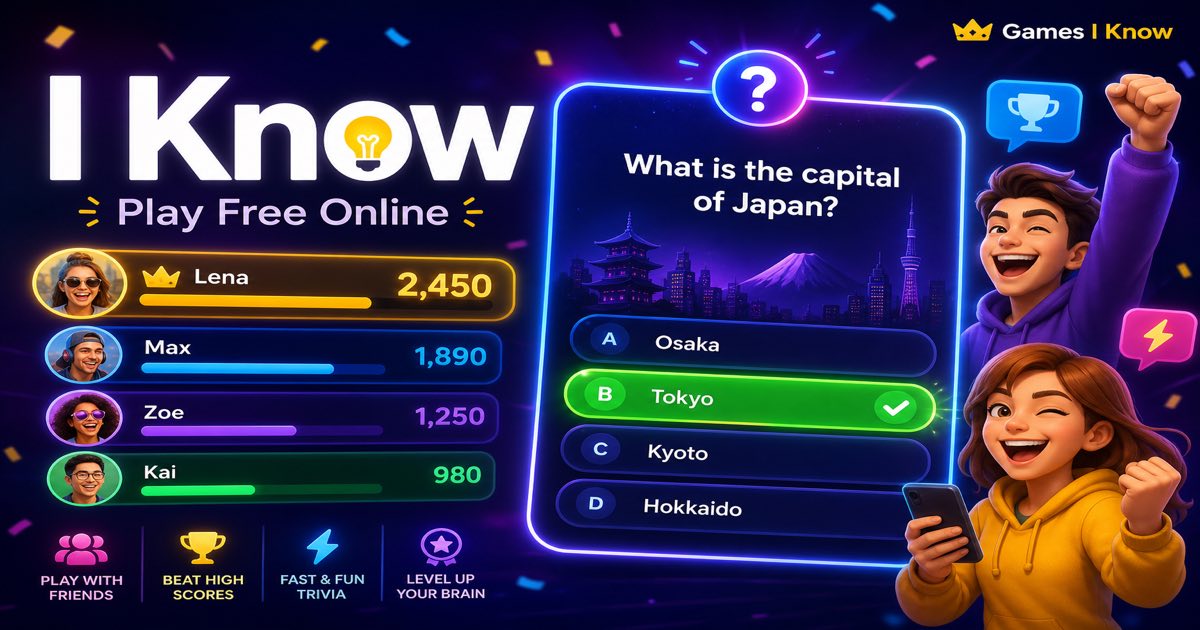
I Know
Quick trivia in your embed on one screen, or run a live room so friends can answer from anywhere.
Embed setup
Sudoku
Embed a solo Sudoku puzzle for calm brain breaks on blogs, school pages, and waiting-room screens.
Embed setup
Word Search
Embed a solo Word Search puzzle for quick brain breaks on blogs, school pages, and waiting-room screens.
Embed setup
FAQ
Use /embed/{gameSlug}/frame/ as the iframe src. That route is the lightweight game frame built for website embeds and postMessage events. The /embed/{gameSlug}/ route is the public preview and SEO page for people, not the route to place inside an iframe.
No. Visitors can play inside the browser iframe on phone, tablet, laptop, or desktop. A partner account is only needed by the website owner who installs the embed.
Yes. Games I Know embeds are designed around registered websites and domain-restricted tenant settings, so copied iframe code cannot be freely reused on unauthorized sites.
Tic Tac Toe, Four in a Row, Bingo, and I Know are available as embeddable browser games. The embed documentation uses the same event model across supported games.
I Know is strong for trivia and quiz-style pages. Tic Tac Toe, Four in a Row, and Bingo work well for quick social breaks on club or event pages.
Create a partner account, register your domain, and generate a domain-restricted iframe for your website.