
How to play Bingo online for the first time
New to browser Bingo? Learn how online Bingo works, how to host a room, and how to win faster on Games I Know.
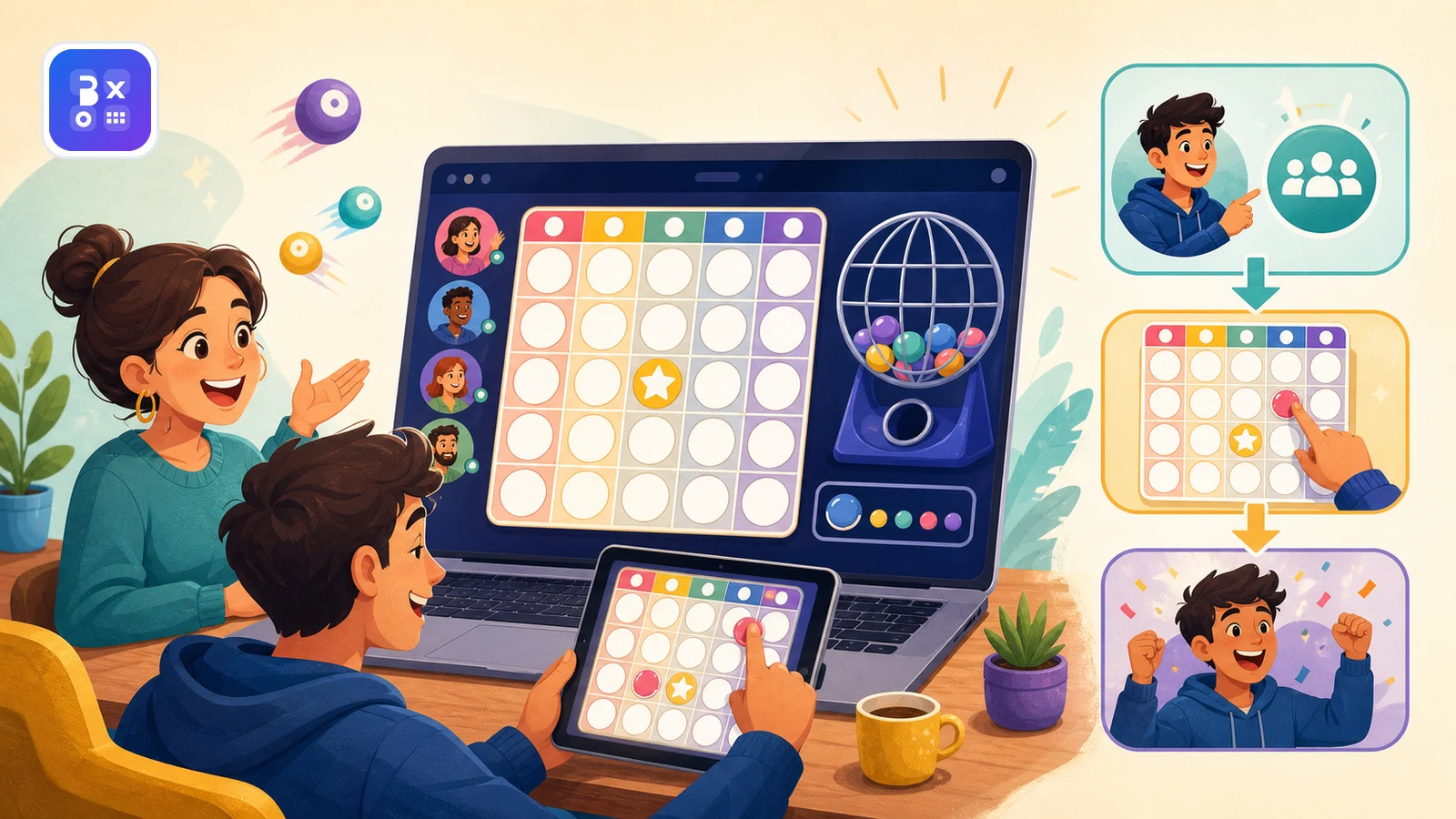
Online Bingo is easy to learn because the goal is simple: join the room, follow the called numbers, mark your card, and complete the winning requirement before anyone else. What changes online is the speed and convenience. You can play from a browser, invite friends with a room code, and start a round without printing anything.
Quick answer: how online Bingo works
- Join a Bingo room or create one yourself.
- Get your digital 5x5 card and watch the numbers being called.
- Mark matching numbers on your card as the round progresses.
- Be the first player to complete five valid lines.
- Start a rematch if the group wants another quick round.
What you need before you start
- A modern browser on your phone, tablet, or laptop.
- A room code from the host, or the ability to create a room yourself.
- A display name your friends can recognize in the player list.
- A few minutes for the first round and a stable internet connection.
How an online Bingo round usually works
| Phase | What happens | Beginner tip |
|---|---|---|
| Lobby | Players join the room and get ready | Confirm everyone sees the same room code before starting |
| Early calls | Numbers start appearing and cards begin to fill | Focus on accuracy before speed |
| Mid round | Several lines may become possible at once | Scan your whole card instead of staring at one area |
| Finish | The first player to complete five valid lines wins | Stay calm and keep checking every called number |
Host tips for a smoother room
- Share the room code in one clear message so nobody joins the wrong place.
- Tell players how many rounds you expect to play before you begin.
- Start with a short warm-up round if some players are brand new.
- Keep chat friendly and fast so the room feels social instead of chaotic.
Beginner mistakes to avoid
- Rushing and marking the wrong number in the first few calls.
- Watching only one row instead of scanning the whole card.
- Joining on a device with a cluttered browser and blaming the game for the slowdown.
- Starting a group session without explaining the win condition first.
Why browser Bingo works so well for groups
Browser Bingo succeeds because it combines familiar rules with easy access. On Games I Know, up to five players can join a room from their browsers, and if you want a solo start, Bingo Bot can help fill the space. That makes it flexible enough for family play, friend groups, and short team socials.
Related games & embeds
Explore Games I Know pages connected to this guide.
Frequently asked questions
How do you play Bingo online?
You join a room, receive a digital card, and mark numbers as they are called. On Games I Know, the first player to complete five valid lines wins the round.
Can I play Bingo online with friends for free?
Yes. Browser-based Bingo is especially good for friend groups because the host can create a room and share a code without asking everyone to install an app first.
Do I need to print Bingo cards?
No. Online Bingo uses digital cards inside the browser, so players can join from phone or desktop without printing anything.
How many players can join a Bingo room on Games I Know?
Games I Know Bingo rooms support up to five players, which is a strong size for friend groups, family sessions, and short team breaks.
Related articles
August 12, 2026·12 min read
Online Bingo vs. Bingo Hall Games: Which Experience Suits You?
Compare online Bingo and Bingo hall games by convenience, atmosphere, pace, cost, accessibility, and social play to choose the right format.
July 16, 2026·14 min read
How to Win at Bingo: Practical Tips for Beginners
Learn how to win at Bingo more often by staying focused, spotting patterns, and avoiding mistakes, with honest tips that never promise a guaranteed win.
April 26, 2026·3 min read
Best games to play with friends online
Explore free online games to play with friends directly in your browser, including Bingo, trivia, Tic Tac Toe, and Four in a Row. No login or download needed.
April 30, 2026·3 min read
Free online games with no download or signup
Find free online games with no download or signup. Learn what to look for, what to avoid, and which game formats start fastest.
April 18, 2026·3 min read
Quick games to play online when you have 5 minutes
Discover quick browser games you can play online in just a few minutes. No login, no download - just open a game and start playing.
Get in touch
Questions about this topic?
Send support questions, embed requests, partnership ideas, or feedback. Your message is saved securely and forwarded to our support channel for review.