
Word Search Tips: How to Find Words Faster Every Time
Use practical Word Search tips to find words faster: scan by direction, spot uncommon letters, use word length, avoid beginner mistakes, and practice online.
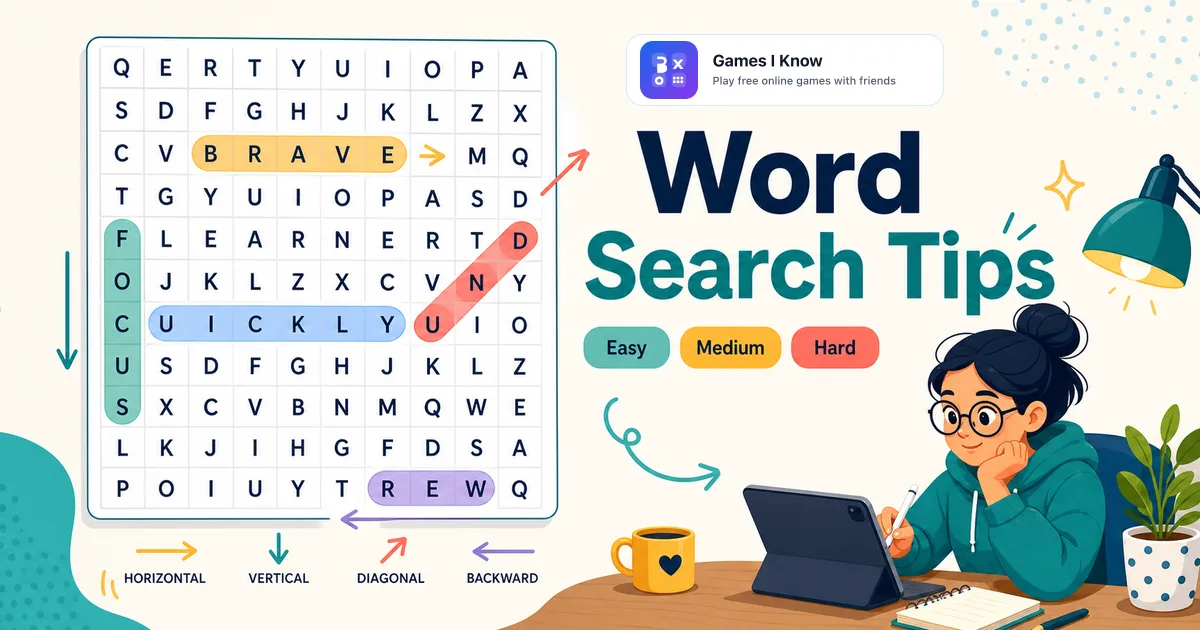
Word Search looks simple because the rules are easy: find hidden words in a letter grid and mark them. Getting faster is different. Speed comes from a scanning routine, not from staring harder at the middle of the board.
This guide focuses on practical Word Search tips you can use immediately. We will use the way Games I Know builds Word Search as the practice ground: themed categories, Easy, Medium, and Hard grids, straight-line words in all eight directions, touch-friendly selection, and no download or signup before you play.
Quick answer: how do you find words faster in a Word Search?
The fastest way to find words in a Word Search is to search one target word at a time, scan for its first and last letters, check the eight surrounding directions, and use unusual letters, double letters, word length, and a lane-by-lane scan pattern to avoid random searching.
Beginners usually slow down because they look at the whole grid at once. Experienced solvers narrow the job: one word, one letter pattern, one direction check, then a reset.
The 7 Word Search tips that actually help
1. Start with one word, not the whole list
A long target list can make your eyes jump everywhere. Choose one word first. Say it silently, notice its first letter, last letter, length, and any unusual pattern. Then search for that shape. When you find it, mark the progress mentally and choose the next target.
2. Scan for the first and last letter
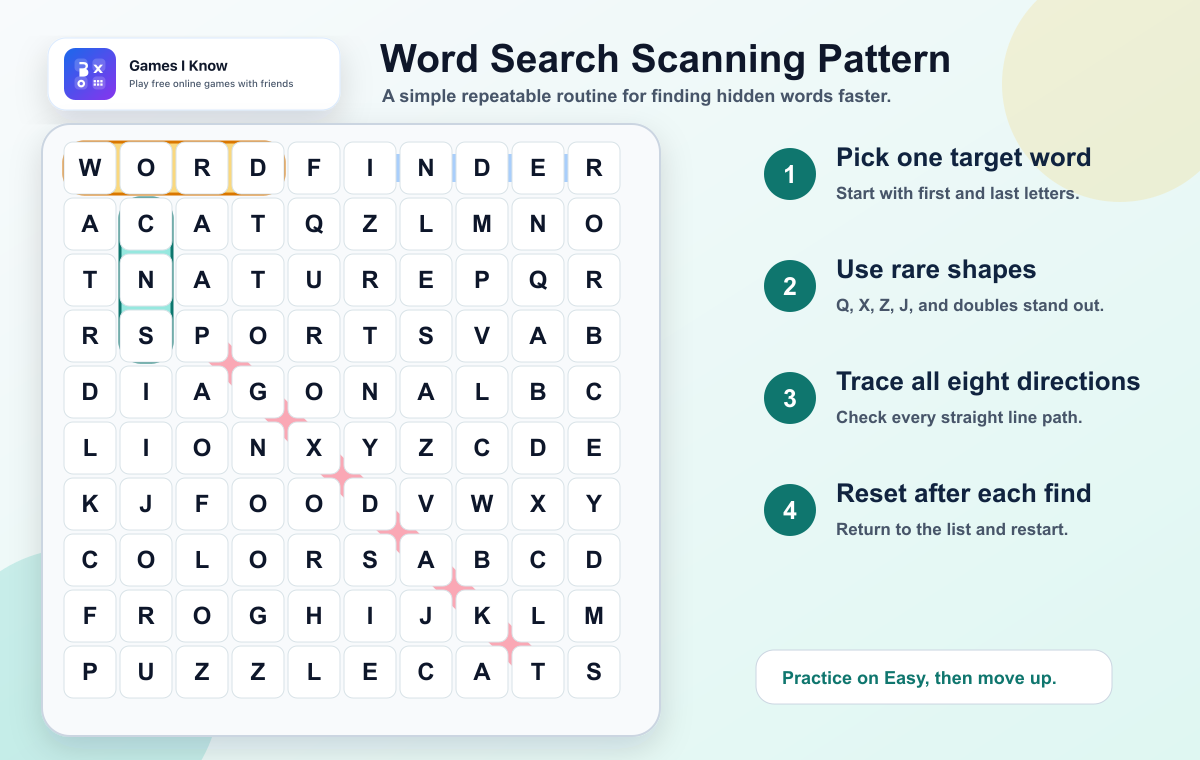
Most players only look for the first letter. Add the last letter too. If you are looking for BIRD, scan for B and D. When a B appears, check whether a D sits three spaces away in a straight line. This endpoint check quickly removes false starts.
3. Use unusual letters and double letters
Letters like Q, X, Z, and J are visually loud in English grids. Double letters are also useful because two matching letters in a row or diagonal are easier to notice than a normal pair. If a puzzle includes words with rare letters, search those first before chasing common letters like A, E, S, and T.
4. Sweep the grid in lanes
Random scanning feels fast, but it wastes time because you re-check the same pockets. Sweep the grid in lanes: rows left to right, rows right to left, columns top to bottom, columns bottom to top, then diagonals. A lane routine gives your eyes a path and keeps the puzzle from becoming visual noise.
5. Check backward paths early
Backward words are easy to miss because your brain expects normal reading direction. On Games I Know, words can run horizontally, vertically, or diagonally, including backward. After you scan forward, reverse the same lane before moving on.
6. Let word length guide your eyes
Long words are not always harder. They create longer shapes, which means fewer places can hold them. A five-letter word such as HORSE needs five open cells in a straight line. A three-letter word such as CAT can hide almost anywhere. Use long words to open the puzzle, then clean up the shorter ones.
7. Reset after every found word
After a satisfying find, many players keep staring near the highlighted path. That sometimes works, but it can trap you. Pick the next target and restart your scan. This keeps your pace steady and reduces the chance that you miss a simple word in another corner.
Strategy example: solving a themed puzzle
In the Games I Know animals category, the word pool includes short familiar words such as cat, dog, bird, fish, bear, lion, frog, wolf, duck, horse, deer, owl, fox, bee, and ant. A beginner might scan the whole grid hoping one of those words appears. A stronger routine starts with the longest or most distinctive shapes.
- Look for HORSE first when it appears because five letters create a clear line.
- Search for FROG by finding F, then checking nearby R letters in all straight directions.
- Use BIRD as an endpoint exercise: B and D must sit three spaces apart.
- Save CAT, DOG, FOX, BEE, and ANT for later because short words have more possible hiding places.
The same approach works in other categories. In food puzzles, longer words such as cheese, butter, and honey give your eyes more structure. In sports, words such as tennis, hockey, boxing, and climb are easier to confirm than very short words like run or ski.
Beginner vs experienced Word Search habits
| Situation | Beginner habit | Experienced habit |
|---|---|---|
| Starting the puzzle | Looks around the whole grid | Chooses one target word first |
| First-letter scan | Checks only the first letter | Checks first letter, last letter, and word length |
| Direction checks | Mostly reads left to right | Checks all eight straight directions |
| Difficult words | Skips around randomly | Uses rare letters, double letters, and endpoints |
| After finding a word | Keeps staring near the highlight | Chooses the next target and restarts the scan |
| Harder grids | Moves faster and gets less accurate | Slows down and follows the lane routine |
Common beginner mistakes
- Trying to solve the entire list at once instead of choosing one target word.
- Ignoring backward words and diagonals until the end.
- Scanning only the center of the board and neglecting edges and corners.
- Chasing short words first, even though short words have many possible hiding places.
- Assuming words can bend. In Games I Know Word Search, valid words are selected in straight lines.
- Moving too fast under the timer and dragging across letters before confirming the full path.
How to practice on Games I Know
Games I Know Word Search gives you a clean way to practice because the difficulty settings change the grid size and word count. Easy uses an 8x8 grid with 8 words and a 3-minute timer. Medium uses a 10x10 grid with 11 words and a 6-minute timer. Hard uses a 12x12 grid with 15 words and a 10-minute timer.
| Difficulty | Grid and words | Best practice goal |
|---|---|---|
| Easy | 8x8 grid, 8 words | Learn first-letter scans and backward checks |
| Medium | 10x10 grid, 11 words | Practice lane scanning without rushing |
| Hard | 12x12 grid, 15 words | Use endpoints, diagonals, and longer-word strategy |
A good practice session is simple: play two Easy puzzles using only one technique, such as endpoint scanning. Then play one Medium puzzle and add lane scanning. Move to Hard when you can keep the routine without losing track of your next target.
What makes online Word Search different?
Online Word Search removes the pencil-and-paper friction. You can start a fresh puzzle quickly, drag or tap across a path, restart when you want another attempt, and play on a phone, tablet, laptop, or desktop. That makes it easier to practice one technique repeatedly.
The trade-off is that timers can tempt you to rush. Treat the timer as feedback, not pressure. The goal is not to swipe the first promising path. The goal is to confirm the word before you mark it, then build a habit you can repeat on harder boards.
Related games for word and puzzle practice
If you like Word Search because it is calm, visual, and pattern-based, Sudoku is the natural next puzzle on Games I Know. If you want language play with more social energy, I Know trivia is a better jump. For broad browsing, the word games and puzzle games category pages collect the most relevant options.
Final takeaway
The best Word Search tricks are not secret shortcuts. They are small habits: choose one word, use first and last letters, scan in lanes, check backward and diagonal paths, and reset after each find. Practice those habits on an Easy puzzle first, then raise the difficulty when your eyes start following the routine automatically.
Related games & embeds
Explore Games I Know pages connected to this guide.
Frequently asked questions
What is the best Word Search strategy?
The best Word Search strategy is to search one target word at a time, scan for its first and last letters, check all eight straight directions, and choose the next target after each find.
How do you find words in a Word Search faster?
Find words faster by using a repeatable scan routine: rows, columns, diagonals, and backward paths. Use unusual letters, double letters, endpoints, and word length to narrow the grid.
Should beginners look for long words or short words first?
Beginners should usually look for longer or more distinctive words first. Long words have fewer possible placements, while short words can hide in many more places.
Do Word Search words go backward?
Many Word Search puzzles include backward words. Games I Know Word Search supports straight-line words horizontally, vertically, and diagonally, including backward directions.
Are diagonal words harder to find?
Diagonal words are often harder because people naturally read rows first. Add diagonal sweeps to your routine so they become a normal part of the search.
What mistakes slow down Word Search beginners?
Common mistakes include scanning randomly, ignoring edges, skipping backward paths, chasing short words first, and trying to solve the whole list at once.
Can Word Search help students practice vocabulary?
Word Search can support vocabulary and spelling practice because students repeatedly recognize themed words and letter patterns. It works best as a short activity alongside reading and discussion.
Can I play online Word Search for free?
Yes. Games I Know offers free online Word Search puzzles in the browser with no required download or signup. You can choose a category and difficulty, then start playing.
Does Games I Know Word Search work on mobile?
Yes. Games I Know Word Search is built for browser play on phones, tablets, laptops, and desktops, with touch-friendly selection for the letter grid.
Related articles
June 25, 2026·12 min read
How to Play Sudoku Online: Rules, Tips, and Difficulty Guide
Learn how to play Sudoku online with simple rules, beginner tips, notes mode, difficulty guidance, and a free browser puzzle you can open on any device.
April 18, 2026·3 min read
Quick games to play online when you have 5 minutes
Discover quick browser games you can play online in just a few minutes. No login, no download - just open a game and start playing.
April 28, 2026·3 min read
Games to play when bored on phone or laptop
Need something fun right now? Here are the best games to play when bored, with fast picks for solo breaks, duos, and small groups.
April 30, 2026·3 min read
Free online games with no download or signup
Find free online games with no download or signup. Learn what to look for, what to avoid, and which game formats start fastest.
May 1, 2026·4 min read
Fast free browser games for quick group play
Discover fast free browser games you can open in a tab with no download. Great picks for duos, small groups, and quick breaks on phone or desktop.
April 20, 2026·3 min read
Browser games vs mobile games for quick play
Compare browser games vs mobile games for quick play, invites, updates, and short breaks so you can pick the right format faster.
Get in touch
Questions about this topic?
Send support questions, embed requests, partnership ideas, or feedback. Your message is saved securely and forwarded to our support channel for review.